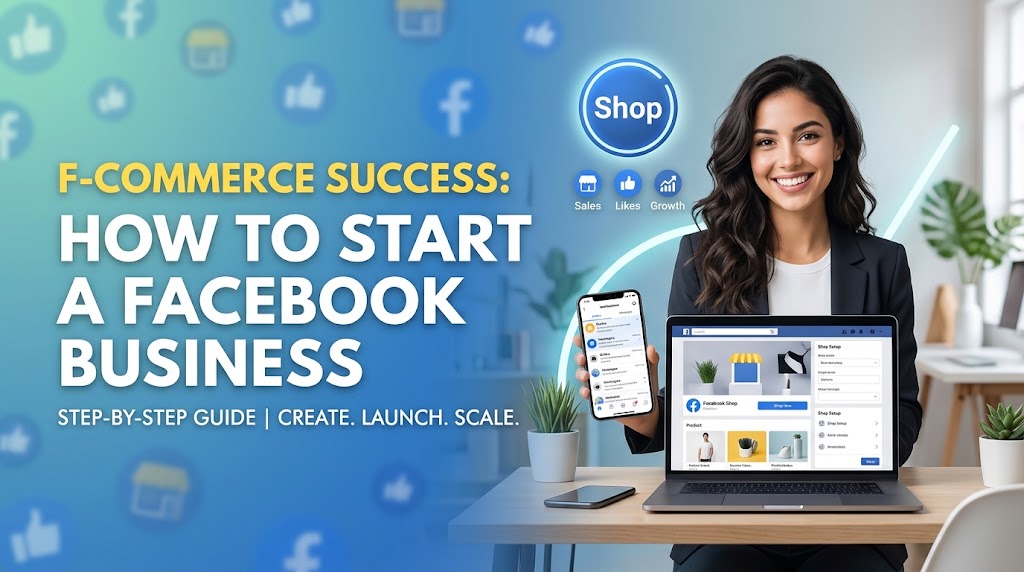
In an era where social media drives global retail growth, commerce has migrated directly into our daily feeds. F-commerce—or Facebook Commerce—refers to the process of leveraging Facebook’s vast ecosystem to showcase, market, and sell products directly to consumers. With billions of active users spending hours scrolling, discovering, and engaging daily, Facebook has transformed from a mere networking platform into one of the most powerful retail store fronts on the planet.
Whether you are an aspiring entrepreneur, a boutique brand owner, or an established small business looking to diversify sales channels, building a Facebook business offers low overhead, direct audience access, and unparalleled targeting capabilities. However, success in F-commerce requires far more than posting occasional product pictures and waiting for orders to pour into your inbox. It demands a deliberate strategy encompassing page optimization, content strategy, sales integration, customer service, and targeted advertising.
This definitive, step-by-step guide provides an end-to-end blueprint for launching, growing, and scaling a profitable Facebook business from scratch.
What is F-commerce and Why Does It Matter Now?
F-commerce encompasses all commercial activities conducted on Facebook, including selling via a Facebook Shop, leveraging organic posts and Live video selling, utilizing targeted Facebook Ads, and closing sales through Facebook Messenger or automated chatbots.
Unlike traditional e-commerce platforms that require buyers to actively search for a store or product via search engines, F-commerce operates on a discovery-driven commerce model. Products meet customers where they already spend their time.
+-----------------------------------------------------------------------+
|                       Traditional E-commerce                          |
|  Search Engine / Direct URL ---> Visit Website ---> Browse ---> Buy    |
+-----------------------------------------------------------------------+
                                  VS.
+-----------------------------------------------------------------------+
|                         F-commerce Model                              |
|  Social Feed Scroll ---> Product Discovery ---> Instant Checkout/Chat |
+-----------------------------------------------------------------------+
Key Advantages of F-commerce for Small Businesses
-
Low Barrier to Entry: Setting up a business infrastructure on Facebook costs a fraction of building a custom e-commerce website.
-
Direct Audience Engagement: Real-time feedback, comments, and direct messaging build trust faster than standard web forms.
-
Hyper-Targeted Advertising: Facebook’s advertising algorithms allow you to place your products in front of users based on precise demographics, behaviors, and niche interests.
-
Seamless Mobile Shopping: Over 90% of Facebook users access the platform via mobile devices, making mobile-optimized purchasing essential for high conversion rates.
Key Takeaway: F-commerce shifts your business model from waiting for traffic to actively capturing attention directly within a consumer’s daily habits.
Phase 1: Foundation & Page Setup Optimization
Your Facebook Business Page serves as your digital flagship store. A poorly structured page signals unreliability, while an optimized page builds immediate credibility and converts casual visitors into buyers.
       +---------------------------------------------------------+
       |                  FACEBOOK PAGE ANCHORS                  |
       +---------------------------------------------------------+
       |  1. Brand Identity  --> Consistent Visuals & Logo       |
       |  2. Actionable CTA  --> "Shop Now" / "Send Message"     |
       |  3. Complete About  --> Hours, Contact, Story           |
       |  4. Facebook Shop   --> Sync Product Catalog            |
       +---------------------------------------------------------+
Step 1: Choose the Right Page Category & Details
Create your Business Page through your personal Facebook account by navigating to the “Pages” creation section.
-
Name: Choose a clear, recognizable business name. Avoid obscure jargon.
-
Category: Select the category that best describes your business (e.g., Clothing Store, Health & Beauty, Home Goods). Choosing the correct category ensures Facebook displays options like catalog syncing and address fields.
-
About & Story Section: Write a concise description (150–200 words) detailing what you sell, your brand values, and your unique selling proposition (USP).
Step 2: Establish Professional Visual Identity
First impressions are instantaneous on social media. High-quality visuals establish immediate authority.
-
Profile Picture (170 x 170 px): Use your official company logo. Keep it simple, sharp, and easy to read even as a small thumbnail.
-
Cover Banner (820 x 312 px): Design a dynamic cover graphic or video banner showcasing your headline products, current promotions, or brand tagline.
Step 3: Configure Call-to-Action (CTA) Buttons
Your CTA button directs visitors toward your primary business goal. Place it prominently under your cover photo.
-
“Shop Now”: Directs users directly to your Facebook Shop or external e-commerce store.
-
“Send Message”: Opens Messenger immediately, ideal for service businesses or custom handmade products requiring direct communication.
Step 4: Enable & Sync Facebook Shop & Catalog
To sell items natively, configure Meta Commerce Manager. Connect your product catalog manually or automatically integrate platforms like Shopify, WooCommerce, or BigCommerce.
-
Organize products into distinct Collections (e.g., Summer Collection, Best Sellers, Under $30).
-
Ensure product descriptions include precise dimensions, materials, pricing, and high-resolution images showing multiple angles.
Pro Tip: Keep your cover image fresh by updating it monthly to align with seasonal sales, new product drops, or customer testimonials.
Phase 2: Building a High-Converting Content Strategy
Having a store is meaningless if no one walks through the door. Content is the magnet that pulls users into your ecosystem. To succeed in F-commerce, your content strategy must strike a balance between value, engagement, and sales offers.
+-------------------------------------------------------------------------+
|                        THE 80/20 CONTENT MATRIX                         |
+-------------------------------------------------------------------------+
|  80% VALUE & ENGAGEMENT                 |  20% DIRECT PROMOTION         |
|  - Behind-the-scenes videos             |  - Product launch posts       |
|  - Tips, tutorials & industry advice    |  - Promotional discounts      |
|  - Customer reviews & user content      |  - Flash sale announcements   |
|  - Interactive polls & Q&A sessions     |  - Direct buy links           |
+-------------------------------------------------------------------------+
The 80/20 Content Rule
Maintain audience interest without coming across as overly sales-focused by employing the 80/20 rule:
-
80% Informative & Engaging Content: Educational tips, user-generated content (UGC), entertainment, polls, lifestyle posts, and behind-the-scenes footage.
-
20% Direct Promotional Content: Product announcements, discount offers, sales showcases, and direct calls-to-action.
High-Performing Content Formats for F-commerce
1. Vertical Video & Reels
Facebook prioritizes short-form vertical video (Reels). Short videos highlighting product uses, unboxing experiences, or quick problem-solving tutorials earn significantly higher organic reach than static images.
2. Facebook Live Shopping Events
Live streams recreate the excitement of interactive home-shopping channels.
-
Demonstrate products live, answer audience questions in real-time, and offer exclusive discount codes valid only during the broadcast.
-
Pin link comments to the product purchase page so viewers can buy without leaving the stream.
3. User-Generated Content (UGC) & Social Proof
Post real photos, unboxing clips, and reviews submitted by satisfied customers. Potential buyers trust authentic feedback from their peers far more than polished corporate graphics.
+-----------------------------------------------------------------------+
|                        Sample Weekly Content Schedule                 |
+----+-----------------------+------------------------------------------+
| Day| Content Focus         | Format                                   |
+----+-----------------------+------------------------------------------+
| Mon| Educational / How-To   | 30-sec Reel / Short Video                |
| Wed| Customer Spotlight    | Photo Carousel + Testimonial Quote       |
| Fri| Weekly Promo/Drop     | Product Post + Direct Shop Link          |
| Sun| Community Engagement  | Interactive Poll or Question Post        |
+----+-----------------------+------------------------------------------+
Example Scenario: A boutique skincare brand posts a 15-second Reel titled “3 Mistakes You’re Making With Morning Skincare.” The video demonstrates proper application using their signature product line, linking directly to the Facebook Shop in the caption. This educational-first approach drives views organically while seamlessly facilitating purchases.
Phase 3: Conversational Commerce & Messenger Automation
Conversational commerce is the art of closing sales through direct messaging. Modern shoppers expect immediate responses. If a user messages your page asking about sizing or shipping, taking six hours to reply often means losing the sale to a competitor.
+--------------------------------------------------------------------------+
|                       MESSENGER CONVERSION FUNNEL                        |
|                                                                          |
|  [ User Inquiry ] --> [ Automated Bot Greeting & Instant Answers ]       |
|                                      |                                   |
|                                      v                                   |
|  [ Qualified Lead ] --> [ Human Rep Intervention / Product Recommendation ]|
|                                      |                                   |
|                                      v                                   |
|  [ Conversion ]  --> [ Automated Order Confirmation & Tracking Updates ] |
+--------------------------------------------------------------------------+
1. Set Up Instant Replies & FAQs
Within your page’s Inbox Settings, enable automated Instant Replies to greet users immediately upon sending a message. Set up Frequently Asked Questions (FAQs) that auto-respond to routine inquiries such as:
-
“What are your shipping rates?”
-
“Where is my order?”
-
“Do you accept returns?”
2. Implement Automated Chatbots
Use chatbot builders like ManyChat or Chatfuel to create conversational funnels. A chatbot can:
-
Guide customers through a product recommendation quiz.
-
Capture email addresses and phone numbers for SMS marketing.
-
Instantly deliver discount coupons to prospective buyers.
3. Human Touch & Closing Sales
Automation handles basic queries, but high-ticket items and custom requests require personalized support. Train your team to respond warmly, offer tailored recommendations, and share direct checkout links right inside the conversation.
Pro Tip: Set up saved replies (templated answers) within Meta Business Suite for your customer support team to speed up response times for non-automated queries while keeping brand messaging consistent.
Phase 4: Scaling with Facebook Ads & Micro-Targeting
While organic reach builds community, paid advertising is the growth engine that drives rapid scale. Facebook’s advertising system lets you target specific segments of its user base.
+-----------------------------------------------------------------------+
|                         FACEBOOK AD CAMPAIGN STRUCTURE                |
+-----------------------------------------------------------------------+
|                          CAMPAIGN LEVEL                               |
|                     (Objective: Sales/Conversions)                    |
|                                   |                                   |
|         +-------------------------+-------------------------+         |
|         |                                                   |         |
|   AD SET 1: Cold Traffic                             AD SET 2: Warm   |
|   (Interests, Lookalikes)                            (Retargeting)    |
|         |                                                   |         |
|    +----+----+                                         +----+----+    |
|    |         |                                         |         |    |
|  Ad A      Ad B                                      Ad C      Ad D   |
| (Video)  (Carousel)                                (UGC Review)(Discount)|
+-----------------------------------------------------------------------+
1. Essential Infrastructure: Meta Pixel & Conversions API
Before running conversion ads, install the Meta Pixel and set up the Conversions API on your website or e-commerce host. This tracking script tracks visitor actions on your site (views, cart adds, purchases) and feeds that data back to Facebook to optimize ad delivery.
2. Understanding Ad Objectives
When creating ads via Meta Ads Manager, select the objective aligned with your business goals:
-
Awareness: Builds top-of-funnel reach for brand launches.
-
Traffic: Sends visitors to external landing pages.
-
Sales / Conversions: Optimizes for completed purchases (the primary objective for established F-commerce setups).
3. Audience Targeting Strategies
Divide your target audiences into three primary categories:
-
Cold Audiences (Top of Funnel): Target users based on demographics, broad interests (e.g., Sustainable Fashion, Home Baking), or Lookalike Audiences (users who match the characteristics of your existing customers).
-
Warm Audiences (Middle of Funnel): Target users who have interacted with your Facebook page, engaged with your Instagram posts, or watched your videos.
-
Hot Audiences (Bottom of Funnel / Retargeting): Display dynamic product ads to users who visited your online shop, added items to their cart, or abandoned checkout within the last 7 to 30 days.
4. Ad Creative Best Practices
-
Carousel Ads: Display multiple products or showcase different features of a single product in a swipeable format.
-
Video Ads: Show the product in action within the first 3 seconds to catch scrolling users.
-
Social Proof Headlines: Highlight ratings, awards, or real quotes (e.g., “Over 10,000+ Happy Customers ⭐⭐⭐⭐⭐”).
Common Pitfalls to Avoid in F-commerce
Even seasoned entrepreneurs make critical mistakes when launching on Facebook. Steering clear of these traps will save your ad budget and preserve your brand’s reputation.
+-----------------------------------------------------------------------+
|                        F-COMMERCE PITFALLS TO AVOID                   |
+-----------------------------------------------------------------------+
|  ❌ Neglecting Mobile Optimization  --> Clunky checkout loses buyers  |
|  ❌ Over-selling & Spamming        --> Lowers algorithm reach        |
|  ❌ Slow Response Times            --> Kills customer trust           |
|  ❌ Ignoring Page Feedback Scores  --> Leads to ad account bans       |
+-----------------------------------------------------------------------+
-
Ignoring Customer Feedback Score: Meta surveys users who purchase products from ads. If your page feedback score drops below 2.0 (out of 5) due to late shipping, poor product quality, or non-existent customer service, Meta will penalize your ad reach or disable your advertising access entirely.
-
Treating Facebook Like a Static Website: Posting product photos without interacting with commenters will suppress your reach. Facebook’s algorithm favors active, engaging conversations.
-
Over-reliance on Organic Reach: Organic post reach generally hovers under 5% of total page followers. Growing a business on organic posts alone is slow; combining organic community-building with paid ads accelerates results.
-
Failing to Track Key Metrics: Do not measure success on vanity metrics like “Page Likes.” Focus on actionable metrics: Customer Acquisition Cost (CAC), Return on Ad Spend (ROAS), Conversion Rate, and Customer Lifetime Value (LTV).
Frequently Asked Questions (FAQ)
1. What is the difference between an e-commerce website and an F-commerce store?
An e-commerce website is an independent storefront hosted on platforms like Shopify or WooCommerce, accessible via a standard web address. An F-commerce store operates directly within the Facebook ecosystem (via Facebook Shops, Page native storefronts, and Messenger), allowing users to discover, evaluate, and buy products without leaving the social platform.
2. How much does it cost to start a Facebook business?
Creating a Facebook Business Page and setting up a Facebook Shop is free. Your main costs will stem from product inventory, visual branding, automated tools (like ManyChat), and paid Facebook Ads. Many small businesses launch with an initial marketing ad budget of $100 to $500 per month and scale investment as revenue grows.
3. Do I need a registered business to open a Facebook Shop?
While anyone can create a Facebook Business Page, setting up an official Facebook Shop with native checkout requires business verification, bank account connection for payouts, and compliance with local tax guidelines and Meta’s Commerce Eligibility Requirements.
4. How do I handle payments on Facebook?
If native Meta Checkout is supported in your region, buyers can pay directly on Facebook using credit cards, debit cards, or PayPal. In regions without native checkout, sellers direct users to complete transactions on their external website or process payments via Messenger using local digital wallets or bank transfers.
5. How can I boost my Facebook Page’s organic reach without paying for ads?
Focus on native short-form video (Facebook Reels), host interactive Facebook Live streams, post engaging user-generated content, and actively reply to every comment within the first hour of posting. Building a dedicated Facebook Group tied to your business page also provides a high-engagement channel for loyal fans.
Your Action Plan for F-commerce Success
Launching a successful F-commerce enterprise is a systematic process. Success doesn’t happen overnight, but following a structured roadmap accelerates your path to profitability.
+-----------------------------------------------------------------------+
|                          F-COMMERCE ROADMAP                           |
+-----------------------------------------------------------------------+
|  [WEEK 1]  Define Niche, Brand Visuals & Page Setup                   |
|  [WEEK 2]  Sync Catalog, Set Up Messenger FAQs & Bots                 |
|  [WEEK 3]  Publish Reels, Videos & Build Engagement Baseline          |
|  [WEEK 4]  Launch Targeted Retargeting & Cold Facebook Ad Campaigns   |
+-----------------------------------------------------------------------+
-
Week 1 (Foundation): Set up your Facebook Business Page, design branding assets, write your business story, and configure call-to-action buttons.
-
Week 2 (Setup & Catalog): Build your product catalog in Commerce Manager, sync payment options, and set up automated Messenger greetings and FAQs.
-
Week 3 (Content Engine): Publish engaging, short-form Reels, host a product demo, gather social proof, and engage actively with initial commenters.
-
Week 4 (Paid Growth): Set up the Meta Pixel on your store, create lookalike and interest-targeted ad campaigns in Ads Manager, monitor key metrics, and refine based on performance data.
F-commerce turns social scrolling into sales conversations. By combining an inviting business page, content-driven engagement, automated customer service, and targeted advertising, you can turn your Facebook Page into a reliable revenue driver.
Ready to Build Your F-commerce Empire?
Take the first step today: Open your Meta Business Suite, complete your page profile setup, and publish your first product Reel. The customers are already scrolling—it’s time to meet them where they are!

Author: Nasir Uddin
Nasir Uddin is a dedicated writer and researcher at BanglaLook.com, where he explores topics related to education, Bangladeshi culture, lifestyle, and travel. With a strong passion for learning and storytelling, he blends personal observation with well-researched insights to help readers better understand Bangladesh and the world around them.